Definition Type: Attribute
Name: profile
Namespace: http://www.springframework.org/schema/beans
Type: string:http://www.w3.org/2001/XMLSchema
Containing Schema: spring-beans-3.1.xsd
Use Optional
Documentation:
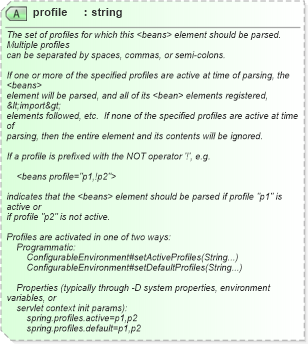
The set of profiles for which this <beans> element should be parsed. Multiple profiles can be separated by spaces, commas, or semi-colons. If one or more of the specified profiles are active at time of parsing, the <beans> element will be parsed, and all of its <bean> elements registered, &lt;import&gt; elements followed, etc. If none of the specified profiles are active at time of parsing, then the entire element and its contents will be ignored. If a profile is prefixed with the NOT operator '!', e.g. <beans profile="p1,!p2"> indicates that the <beans> element should be parsed if profile "p1" is active or if profile "p2" is not active. Profiles are activated in one of two ways: Programmatic: ConfigurableEnvironment#setActiveProfiles(String...) ConfigurableEnvironment#setDefaultProfiles(String...) Properties (typically through -D system properties, environment variables, or servlet context init params): spring.profiles.active=p1,p2 spring.profiles.default=p1,p2
Collapse XSD Schema Diagram:
XSD Diagram of profile in schema spring-beans-3_1_xsd (Membrane Service Proxy)
Collapse XSD Schema Code:
<xsd:attribute name="profile" use="optional" type="xsd:string">
    <xsd:annotation>
        <xsd:documentation><![CDATA[
	The set of profiles for which this <beans> element should be parsed. Multiple profiles
	can be separated by spaces, commas, or semi-colons.

	If one or more of the specified profiles are active at time of parsing, the <beans>
	element will be parsed, and all of its <bean> elements registered, &lt;import&gt;
	elements followed, etc.  If none of the specified profiles are active at time of
	parsing, then the entire element and its contents will be ignored.

	If a profile is prefixed with the NOT operator '!', e.g.

		<beans profile="p1,!p2">

	indicates that the <beans> element should be parsed if profile "p1" is active or
	if profile "p2" is not active.

	Profiles are activated in one of two ways:
		Programmatic:
			ConfigurableEnvironment#setActiveProfiles(String...)
			ConfigurableEnvironment#setDefaultProfiles(String...)

		Properties (typically through -D system properties, environment variables, or
		servlet context init params):
			spring.profiles.active=p1,p2
			spring.profiles.default=p1,p2
					]]></xsd:documentation>
    </xsd:annotation>
</xsd:attribute>