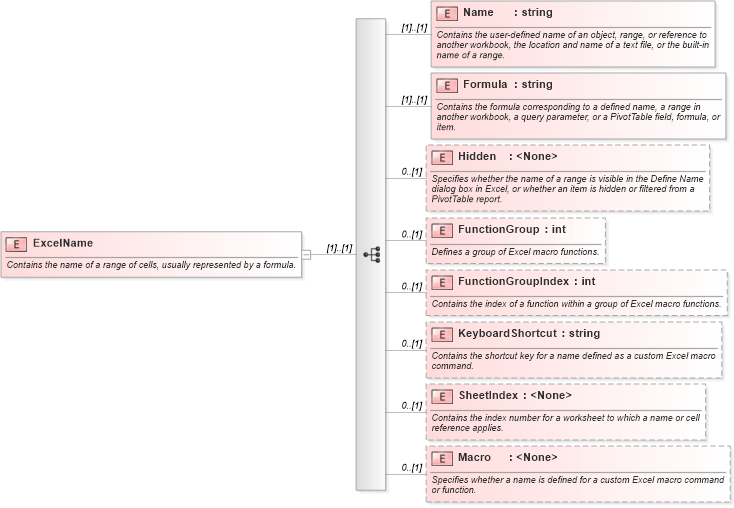
<xsd:element name="ExcelName">
    <xsd:annotation>
        <xsd:documentation>Contains the name of a range of cells, usually represented by a formula.</xsd:documentation>
    </xsd:annotation>
    <xsd:complexType>
        <xsd:sequence>
            <xsd:element name="Name" type="xsd:string">
                <xsd:annotation>
                    <xsd:documentation>Contains the user-defined name of an object, range, or reference to another workbook, the location and name of a text file, or the built-in name of a range.</xsd:documentation>
                </xsd:annotation>
            </xsd:element>
            <xsd:element name="Formula" type="xsd:string">
                <xsd:annotation>
                    <xsd:documentation>Contains the formula corresponding to a defined name, a range in another workbook, a query parameter, or a PivotTable field, formula, or item.</xsd:documentation>
                </xsd:annotation>
            </xsd:element>
            <xsd:element name="Hidden" minOccurs="0">
                <xsd:annotation>
                    <xsd:documentation>Specifies whether the name of a range is visible in the Define Name dialog box in Excel, or whether an item is hidden or filtered from a PivotTable report.</xsd:documentation>
                </xsd:annotation>
            </xsd:element>
            <xsd:element name="FunctionGroup" type="xsd:int" minOccurs="0">
                <xsd:annotation>
                    <xsd:documentation>Defines a group of Excel macro functions.</xsd:documentation>
                </xsd:annotation>
            </xsd:element>
            <xsd:element name="FunctionGroupIndex" type="xsd:int" minOccurs="0">
                <xsd:annotation>
                    <xsd:documentation>Contains the index of a function within a group of Excel macro functions.</xsd:documentation>
                </xsd:annotation>
            </xsd:element>
            <xsd:element name="KeyboardShortcut" type="xsd:string" minOccurs="0">
                <xsd:annotation>
                    <xsd:documentation>Contains the shortcut key for a name defined as a custom Excel macro command.</xsd:documentation>
                </xsd:annotation>
            </xsd:element>
            <xsd:element name="SheetIndex" minOccurs="0">
                <xsd:annotation>
                    <xsd:documentation>Contains the index number for a worksheet to which a name or cell reference applies.</xsd:documentation>
                </xsd:annotation>
            </xsd:element>
            <xsd:element name="Macro" minOccurs="0">
                <xsd:annotation>
                    <xsd:documentation>Specifies whether a name is defined for a custom Excel macro command or function.</xsd:documentation>
                </xsd:annotation>
            </xsd:element>
        </xsd:sequence>
    </xsd:complexType>
</xsd:element>
|
 XSD Schema Diagram: