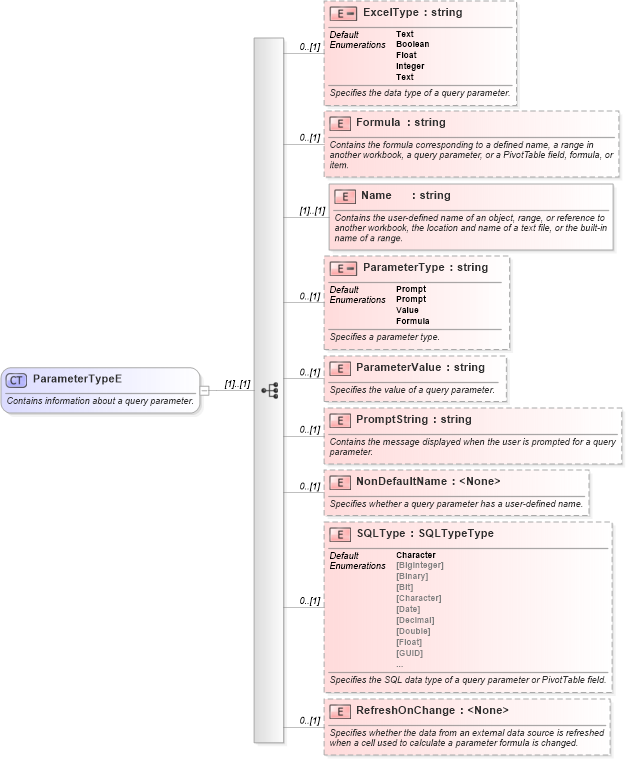
<xsd:complexType name="ParameterTypeE">
    <xsd:annotation>
        <xsd:documentation>Contains information about a query parameter.</xsd:documentation>
    </xsd:annotation>
    <xsd:sequence>
        <xsd:element name="ExcelType" default="Text" minOccurs="0">
            <xsd:annotation>
                <xsd:documentation>Specifies the data type of a query parameter.</xsd:documentation>
            </xsd:annotation>
            <xsd:simpleType>
                <xsd:restriction base="xsd:string">
                    <xsd:enumeration value="Boolean" />
                    <xsd:enumeration value="Float" />
                    <xsd:enumeration value="Integer" />
                    <xsd:enumeration value="Text" />
                </xsd:restriction>
            </xsd:simpleType>
        </xsd:element>
        <xsd:element name="Formula" type="xsd:string" minOccurs="0">
            <xsd:annotation>
                <xsd:documentation>Contains the formula corresponding to a defined name, a range in another workbook, a query parameter, or a PivotTable field, formula, or item.</xsd:documentation>
            </xsd:annotation>
        </xsd:element>
        <xsd:element name="Name" type="xsd:string">
            <xsd:annotation>
                <xsd:documentation>Contains the user-defined name of an object, range, or reference to another workbook, the location and name of a text file, or the built-in name of a range.</xsd:documentation>
            </xsd:annotation>
        </xsd:element>
        <xsd:element name="ParameterType" default="Prompt" minOccurs="0">
            <xsd:annotation>
                <xsd:documentation>Specifies a parameter type.</xsd:documentation>
            </xsd:annotation>
            <xsd:simpleType>
                <xsd:restriction base="xsd:string">
                    <xsd:enumeration value="Prompt" />
                    <xsd:enumeration value="Value" />
                    <xsd:enumeration value="Formula" />
                </xsd:restriction>
            </xsd:simpleType>
        </xsd:element>
        <xsd:element name="ParameterValue" type="xsd:string" minOccurs="0">
            <xsd:annotation>
                <xsd:documentation>Specifies the value of a query parameter.</xsd:documentation>
            </xsd:annotation>
        </xsd:element>
        <xsd:element name="PromptString" type="xsd:string" minOccurs="0">
            <xsd:annotation>
                <xsd:documentation>Contains the message displayed when the user is prompted for a query parameter.</xsd:documentation>
            </xsd:annotation>
        </xsd:element>
        <xsd:element name="NonDefaultName" minOccurs="0">
            <xsd:annotation>
                <xsd:documentation>Specifies whether a query parameter has a user-defined name.</xsd:documentation>
            </xsd:annotation>
        </xsd:element>
        <xsd:element name="SQLType" type="SQLTypeType" default="Character" minOccurs="0">
            <xsd:annotation>
                <xsd:documentation>Specifies the SQL data type of a query parameter or PivotTable field.</xsd:documentation>
            </xsd:annotation>
        </xsd:element>
        <xsd:element name="RefreshOnChange" minOccurs="0">
            <xsd:annotation>
                <xsd:documentation>Specifies whether the data from an external data source is refreshed when a cell used to calculate a parameter formula is changed.</xsd:documentation>
            </xsd:annotation>
        </xsd:element>
    </xsd:sequence>
</xsd:complexType>
|
 XSD Schema Diagram: