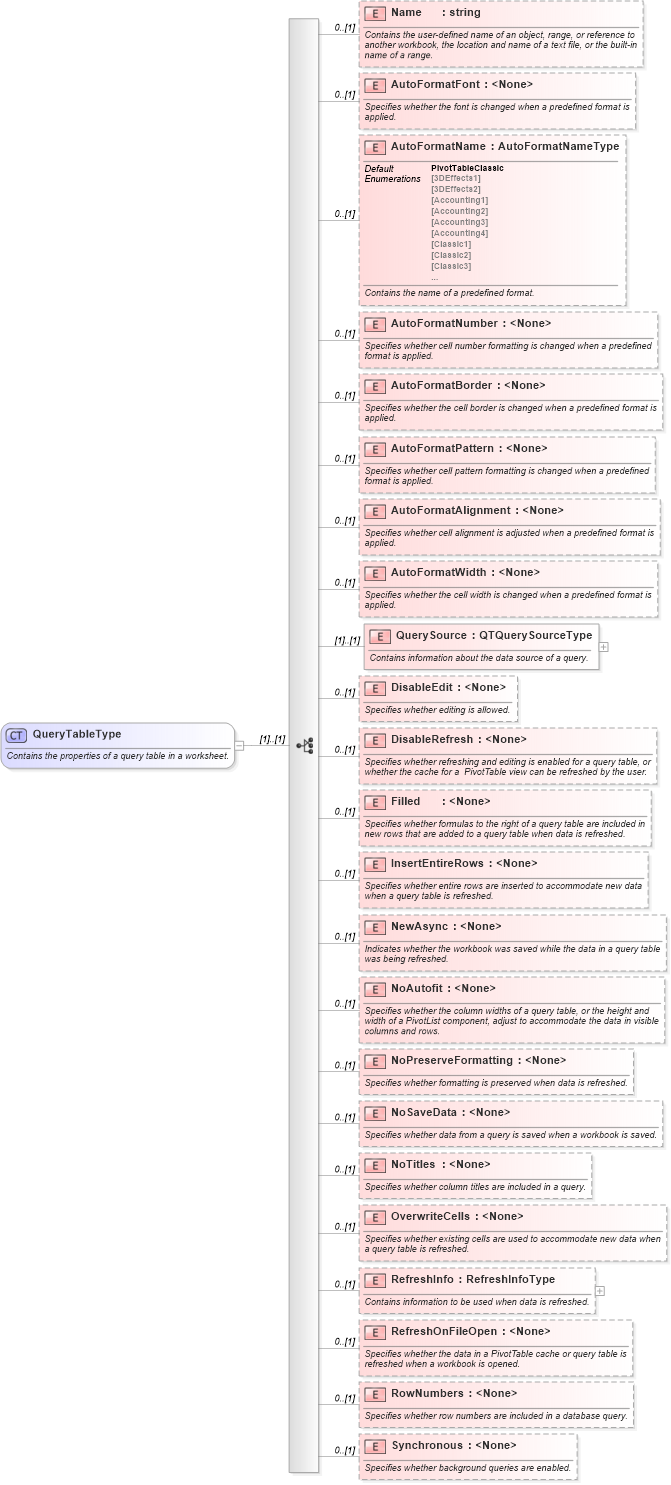
<xsd:complexType name="QueryTableType">
    <xsd:annotation>
        <xsd:documentation>Contains the properties of a query table in a worksheet.</xsd:documentation>
    </xsd:annotation>
    <xsd:all>
        <xsd:element name="Name" type="xsd:string" minOccurs="0">
            <xsd:annotation>
                <xsd:documentation>Contains the user-defined name of an object, range, or reference to another workbook, the location and name of a text file, or the built-in name of a range.</xsd:documentation>
            </xsd:annotation>
        </xsd:element>
        <xsd:element name="AutoFormatFont" minOccurs="0">
            <xsd:annotation>
                <xsd:documentation>Specifies whether the font is changed when a predefined format is applied.</xsd:documentation>
            </xsd:annotation>
        </xsd:element>
        <xsd:element name="AutoFormatName" type="AutoFormatNameType" default="PivotTableClassic" minOccurs="0">
            <xsd:annotation>
                <xsd:documentation>Contains the name of a predefined format.</xsd:documentation>
            </xsd:annotation>
        </xsd:element>
        <xsd:element name="AutoFormatNumber" minOccurs="0">
            <xsd:annotation>
                <xsd:documentation>Specifies whether cell number formatting is changed when a predefined format is applied.</xsd:documentation>
            </xsd:annotation>
        </xsd:element>
        <xsd:element name="AutoFormatBorder" minOccurs="0">
            <xsd:annotation>
                <xsd:documentation>Specifies whether the cell border is changed when a predefined format is applied.</xsd:documentation>
            </xsd:annotation>
        </xsd:element>
        <xsd:element name="AutoFormatPattern" minOccurs="0">
            <xsd:annotation>
                <xsd:documentation>Specifies whether cell pattern formatting is changed when a predefined format is applied.</xsd:documentation>
            </xsd:annotation>
        </xsd:element>
        <xsd:element name="AutoFormatAlignment" minOccurs="0">
            <xsd:annotation>
                <xsd:documentation>Specifies whether cell alignment is adjusted when a predefined format is applied.</xsd:documentation>
            </xsd:annotation>
        </xsd:element>
        <xsd:element name="AutoFormatWidth" minOccurs="0">
            <xsd:annotation>
                <xsd:documentation>Specifies whether the cell width is changed when a predefined format is applied.</xsd:documentation>
            </xsd:annotation>
        </xsd:element>
        <xsd:element name="QuerySource" type="QTQuerySourceType">
            <xsd:annotation>
                <xsd:documentation>Contains information about the data source of a query.</xsd:documentation>
            </xsd:annotation>
        </xsd:element>
        <xsd:element name="DisableEdit" minOccurs="0">
            <xsd:annotation>
                <xsd:documentation>Specifies whether editing is allowed.</xsd:documentation>
            </xsd:annotation>
        </xsd:element>
        <xsd:element name="DisableRefresh" minOccurs="0">
            <xsd:annotation>
                <xsd:documentation>Specifies whether refreshing and editing is enabled for a query table, or whether the cache for a  PivotTable view can be refreshed by the user.</xsd:documentation>
            </xsd:annotation>
        </xsd:element>
        <xsd:element name="Filled" minOccurs="0">
            <xsd:annotation>
                <xsd:documentation>Specifies whether formulas to the right of a query table are included in new rows that are added to a query table when data is refreshed.</xsd:documentation>
            </xsd:annotation>
        </xsd:element>
        <xsd:element name="InsertEntireRows" minOccurs="0">
            <xsd:annotation>
                <xsd:documentation>Specifies whether entire rows are inserted to accommodate new data when a query table is refreshed.</xsd:documentation>
            </xsd:annotation>
        </xsd:element>
        <xsd:element name="NewAsync" minOccurs="0">
            <xsd:annotation>
                <xsd:documentation>Indicates whether the workbook was saved while the data in a query table was being refreshed.</xsd:documentation>
            </xsd:annotation>
        </xsd:element>
        <xsd:element name="NoAutofit" minOccurs="0">
            <xsd:annotation>
                <xsd:documentation>Specifies whether the column widths of a query table, or the height and width of a PivotList component, adjust to accommodate the data in visible columns and rows.</xsd:documentation>
            </xsd:annotation>
        </xsd:element>
        <xsd:element name="NoPreserveFormatting" minOccurs="0">
            <xsd:annotation>
                <xsd:documentation>Specifies whether formatting is preserved when data is refreshed.</xsd:documentation>
            </xsd:annotation>
        </xsd:element>
        <xsd:element name="NoSaveData" minOccurs="0">
            <xsd:annotation>
                <xsd:documentation>Specifies whether data from a query is saved when a workbook is saved.</xsd:documentation>
            </xsd:annotation>
        </xsd:element>
        <xsd:element name="NoTitles" minOccurs="0">
            <xsd:annotation>
                <xsd:documentation>Specifies whether column titles are included in a query.</xsd:documentation>
            </xsd:annotation>
        </xsd:element>
        <xsd:element name="OverwriteCells" minOccurs="0">
            <xsd:annotation>
                <xsd:documentation>Specifies whether existing cells are used to accommodate new data when a query table is refreshed.</xsd:documentation>
            </xsd:annotation>
        </xsd:element>
        <xsd:element name="RefreshInfo" type="RefreshInfoType" minOccurs="0">
            <xsd:annotation>
                <xsd:documentation>Contains information to be used when data is refreshed.</xsd:documentation>
            </xsd:annotation>
        </xsd:element>
        <xsd:element name="RefreshOnFileOpen" minOccurs="0">
            <xsd:annotation>
                <xsd:documentation>Specifies whether the data in a PivotTable cache or query table is refreshed when a workbook is opened.</xsd:documentation>
            </xsd:annotation>
        </xsd:element>
        <xsd:element name="RowNumbers" minOccurs="0">
            <xsd:annotation>
                <xsd:documentation>Specifies whether row numbers are included in a database query.</xsd:documentation>
            </xsd:annotation>
        </xsd:element>
        <xsd:element name="Synchronous" minOccurs="0">
            <xsd:annotation>
                <xsd:documentation>Specifies whether background queries are enabled.</xsd:documentation>
            </xsd:annotation>
        </xsd:element>
    </xsd:all>
</xsd:complexType>
|
 XSD Schema Diagram: