<xsd:simpleType name="datatypes">
    <xsd:annotation>
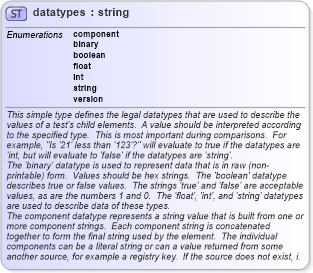
        <xsd:documentation>This simple type defines the legal datatypes that are used to describe the values of a test's child elements.  A value should be interpreted according to the specified type.  This is most important during comparisons.  For example, "Is '21' less than '123'?" will evaluate to true if the datatypes are 'int, but will evaluate to 'false' if the datatypes are 'string'.</xsd:documentation>
        <xsd:documentation>The 'binary' datatype is used to represent data that is in raw (non-printable) form.  Values should be hex strings.  The 'boolean' datatype describes true or false values.  The strings 'true' and 'false' are acceptable values, as are the numbers 1 and 0.  The 'float', 'int', and 'string' datatypes are used to describe data of these types.</xsd:documentation>
        <xsd:documentation>The component datatype represents a string value that is built from one or more component strings.  Each component string is concatenated together to form the final string used by the element.  The individual components can be a literal string or can a value returned from some another source, for example a registry key.  If the source does not exist, i.e. the registry can not be found, then an error should be reported.</xsd:documentation>
        <xsd:documentation>The version datatype represents a value that is a hierarchical list of versions.  For example '#.#.#' or '#-#-#-#' where the numbers to the left are more significant than the numbers to the right.  When performing an 'equals' operation on a version datatype, you should first check the left most number for equality.  If that fails, then the values are not equal.  If it succeeds, then check the second left most number for equality.  Continue checking the numbers from left to right until the last number has been checked.  If, after testing all the previous numbers, the last number is equal then the two versions are equal.  When performing other operations, such as 'less than', 'less than or equal', 'greater than, or 'greater than or equal', similar logic as above is used.  Start with the left most number and move from left to right. For each number, check if it is less than the number you are testing against.  If it is, then the version in question is less than the version you are testing against.  If the number is equal, then move to check the next number to the right.  For example, to test if 5.7.23 is less than or equal to 5.8.0 you first compare 5 to 5.  They are equal so you move on to compare 7 to 8.  7 is less than 8 so the entire test succeeds and 5.7.23 is 'less than or equal' to 5.8.0.  The difference between the 'less than' and 'less than or equal' operations is how the last number is handled.  If the last number is reached, the check should use the given operation (either 'less than' and 'less than or equal') to test the number.  For example, to test if 4.23.6 is greater than 4.23.6 you first compare 4 to 4.  They are equal so you move on to compare 23 to 23.  They are equal so you move on to compare 6 to 6.  This is the last number in the version and since 6 is not greater than 6, the entire test fails and 4.23.6 is not greater than 4.23.6.</xsd:documentation>
    </xsd:annotation>
    <xsd:restriction base="xsd:string">
        <xsd:enumeration value="component" />
        <xsd:enumeration value="binary" />
        <xsd:enumeration value="boolean" />
        <xsd:enumeration value="float" />
        <xsd:enumeration value="int" />
        <xsd:enumeration value="string" />
        <xsd:enumeration value="version" />
    </xsd:restriction>
</xsd:simpleType>
|
 XSD Schema Diagram:
 Facets: