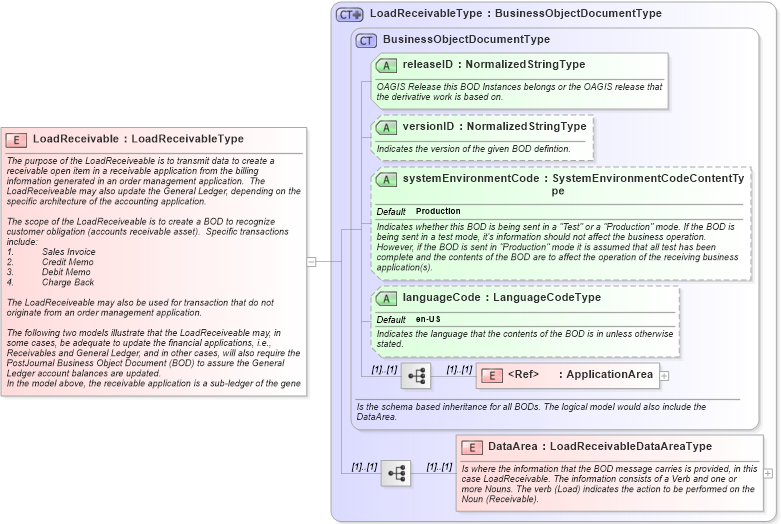
<xsd:element name="LoadReceivable" type="LoadReceivableType">
    <xsd:annotation>
        <xsd:documentation source="http://www.openapplications.org/oagis/9">The purpose of the LoadReceiveable is to transmit data to create a receivable open item in a receivable application from the billing information generated in an order management application.  The LoadReceiveable may also update the General Ledger, depending on the specific architecture of the accounting application.

The scope of the LoadReceiveable is to create a BOD to recognize customer obligation (accounts receivable asset).  Specific transactions include:
1.	Sales Invoice
2.	Credit Memo
3.	Debit Memo
4.	Charge Back

The LoadReceiveable may also be used for transaction that do not originate from an order management application.

The following two models illustrate that the LoadReceiveable may, in some cases, be adequate to update the financial applications, i.e., Receivables and General Ledger, and in other cases, will also require the PostJournal Business Object Document (BOD) to assure the General Ledger account balances are updated.
</xsd:documentation>
        <xsd:documentation source="http://www.openapplications.org/oagis/9">In the model above, the receivable application is a sub-ledger of the general ledger.  Updates to G/L balances occur via the receivables module, therefore the Load Receivable contains both receivable and general ledger transaction information.</xsd:documentation>
        <xsd:documentation source="http://www.openapplications.org/oagis/9">This other model illustrates the environment that sometime exists when General Ledger updates occur directly from the Order Management application.  The reconciliation between the receivable and general ledger is a function within the financial applications and not of the integration space.  This model allows the G/L balances to be updated in either detail or summarized form.

The scope of the role of the receivable application includes functions such as:
·	Allowing Cash Application
·	Dunning
·	Dispute management
</xsd:documentation>
    </xsd:annotation>
</xsd:element>
|
 XSD Schema Diagram: